If an Android phone suddenly appears to be in the wrong city, a map app shows an implausible position, or an unfamiliar app seems connected to location settings, you may encounter the term GPS spoofing. It means that software is providing a simulated location to apps instead of the phone's best estimate of its physical position.
That does not automatically mean someone is spying on you. A simulated location can come from a developer setting, a testing tool, an app used for accessibility or gaming, or unwanted software. One incorrect map result is also not proof of spoofing. GPS reception, Wi-Fi data, VPNs, stale app data, and ordinary location errors can all produce confusing results.
This guide explains what a location spoofer does, how fake location differs from location sharing, and how to investigate safely without deleting evidence or putting yourself at risk.
What GPS spoofing means on Android#
GPS spoofing is the use of software or another signal source to make a device report coordinates that do not represent its actual location. On Android, this is commonly associated with a mock location: a simulated location supplied to apps for testing or other permitted uses.
A location spoofer may affect the location that an individual app receives. It does not necessarily change every location record held by Google, your mobile carrier, or another account. The result depends on the app, Android version, device manufacturer, permissions, and how the location is obtained.
A fake GPS app can therefore make a navigation, social, fitness, or game app see a selected position while other systems continue to have different information.
GPS spoofing versus Google location sharing#
These terms describe different things:
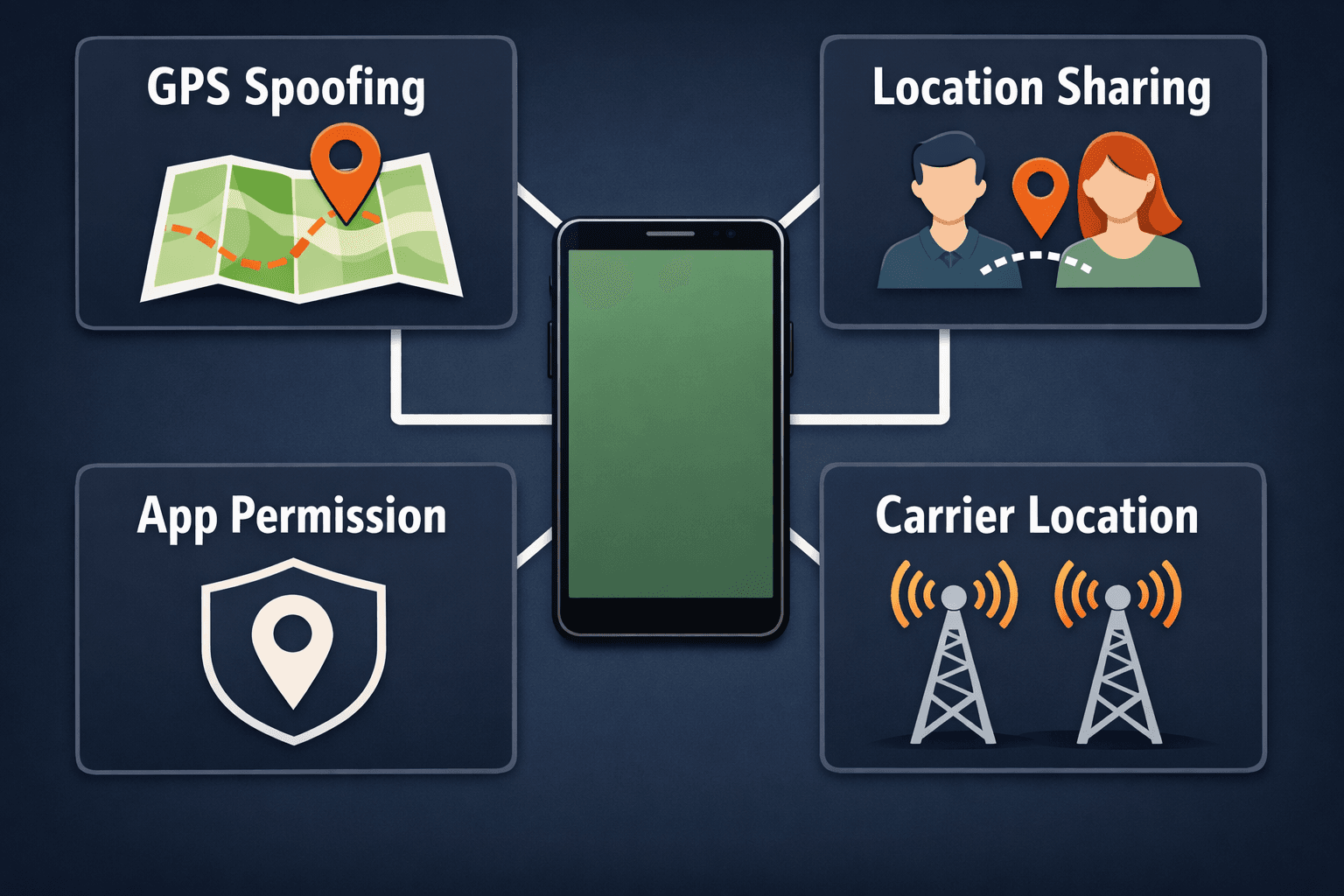
| Feature | What changes | What it does not necessarily change |
|---|---|---|
| GPS spoofing or mock location | The coordinates supplied to some apps | Carrier records, account history, or every sensor-based estimate |
| Google location sharing | Who can see a shared location through a Google service | The phone's physical position or all app location data |
| App location permission | Whether an app can request location | Whether another app, account, carrier, or physical tracker has information |
| Google Maps Timeline | Stored or displayed location history | A live guarantee of where the phone is now |
| Cell-tower location | A network-based estimate of the device's area | The precise GPS value shown to an individual app |
If your concern is stored location history, review Google Maps Timeline and location history on Android. If you are concerned that an app has access it does not need, use this guide to check and change Android app permissions.
Why an Android phone might report a false location#
There are several possible explanations, and they do not all involve malicious activity.
An intentional testing or accessibility tool#
Developers may use simulated locations to test an app without physically traveling. A phone owner may also install a location utility for a legitimate reason. The presence of a mock-location-capable app is a clue to investigate, not proof of abuse.
An unwanted or suspicious application#
An unfamiliar app with location access, an app installed outside the normal app store, or an app that appeared after someone else handled the phone deserves closer review. However, an unfamiliar app alone does not establish that it is spyware or that it is actively spoofing location.
Review the app's name, installation source, requested permissions, recent activity, and whether you recognize its purpose. Do not install an unknown APK merely to investigate another app, and do not disable Android security protections to make an investigation easier.
Ordinary location inaccuracies#
A phone may report an incorrect position because it has poor satellite reception, limited Wi-Fi information, a stale cached result, battery-saving restrictions, or an app that has not refreshed its data. Indoor locations, tall buildings, tunnels, and dense urban areas can make location estimates less reliable.
A VPN can change the apparent internet location of a service, but it is not the same as changing the phone's GPS coordinates. Likewise, sharing a location with a contact does not mean the phone is using a fake GPS signal.
Signs that location data may be simulated#
No single symptom proves GPS spoofing. Look for a pattern instead:
- A location jumps implausibly between distant places in a short period.
- One app consistently reports a different position from other location-aware apps.
- An unfamiliar app appears to have a role related to mock locations, testing, automation, or location simulation.
- The reported location remains fixed while the phone is clearly moving.
- A warning inside an app specifically says that simulated or mock locations are enabled.
These signs still need context. A navigation app may use a cached result, a social app may update slowly, and different apps may use different location sources.
How to investigate GPS spoofing safely#
Use the following process as an investigation checklist. Menu names vary by Android version and manufacturer, so treat the wording as a guide rather than an exact path for every phone.
1. Record what happened#
Write down the app, date, time, reported location, and what you expected to see. Save screenshots if it is safe to do so. Compare the result with another trusted source, but remember that two apps can update at different times.
Do not reset the phone or immediately uninstall an unfamiliar app if you may need to preserve evidence. A reset can remove information that would help explain what happened.
2. Review location permissions#
Open Android's privacy or permission controls and review which apps can access location. Look for permissions such as precise location, approximate location, or access while the app is in use. Revoke access that an app does not need, but consider whether changing settings could alert another person who controls the device.
For a broader review, follow the steps in the Android app-permission guide. A permission review can show which apps are allowed to request location; it cannot identify every form of surveillance or prove that an app is using a permission improperly.
3. Check for unfamiliar apps and special settings#
Review the installed-app list and recently installed apps. Search Android Settings for terms such as mock location, select mock location app, or developer options. The exact label and location differ between Android releases and manufacturers.
Do not change developer settings casually. If you find a selected mock-location app that you did not choose, record its name and investigate it before removing it. If the phone belongs to an employer or school, device-management rules may explain settings you did not configure yourself.
4. Check the app's own warnings and behavior#
Some apps detect simulated locations and display a warning. Treat that warning as evidence that the app observed a signal associated with simulated location, not as proof that a person is tracking you or that the entire phone is compromised.
Also check whether the issue occurs in one app or across several unrelated apps. A single-app problem may be caused by cached data, an app defect, or that app's own location logic.
5. Secure the phone if the evidence suggests broader access#
Install Android and app updates from trusted sources, review your Google Account security activity, and remove apps you do not recognize when it is safe to do so. If you suspect account access rather than location spoofing, change passwords from a safer device and enable two-factor authentication where appropriate.
For a wider investigation, see how to detect spyware on Android safely. Spyware checks and permission reviews are useful steps, but no single scan can guarantee that a phone is free of surveillance.
GPS spoofing versus phone tracking#
GPS spoofing changes or simulates location data available to some software. It is not the same as tracking a phone.
A location spoofer generally cannot erase or rewrite every record created by:
- A mobile carrier's network connections or cell-tower records.
- A Google Account's security and device activity records.
- Location shared through a separate account or service.
- A Bluetooth tracker physically traveling with the phone or its owner.
- Photos, messages, ride receipts, or other records that reveal where someone was.
The reverse is also important: a phone can be tracked or have location exposed without GPS spoofing. Account compromise, unwanted app permissions, location sharing, mobile-network data, and physical tracking devices are separate possibilities that require different checks.
When to secure accounts or seek help#
If another person may control the phone, changing settings or deleting an app could reveal that you are investigating. Consider using a safer device to contact a trusted person, domestic-abuse support service, workplace security team, or law enforcement where appropriate. Do not confront someone based only on an unfamiliar app or one inaccurate location result.
If the phone is employer-managed, school-managed, or subject to a family-management arrangement, ask the administrator about the setting before removing it. If you believe the device is used to monitor or threaten you, prioritize personal safety over collecting more technical evidence.