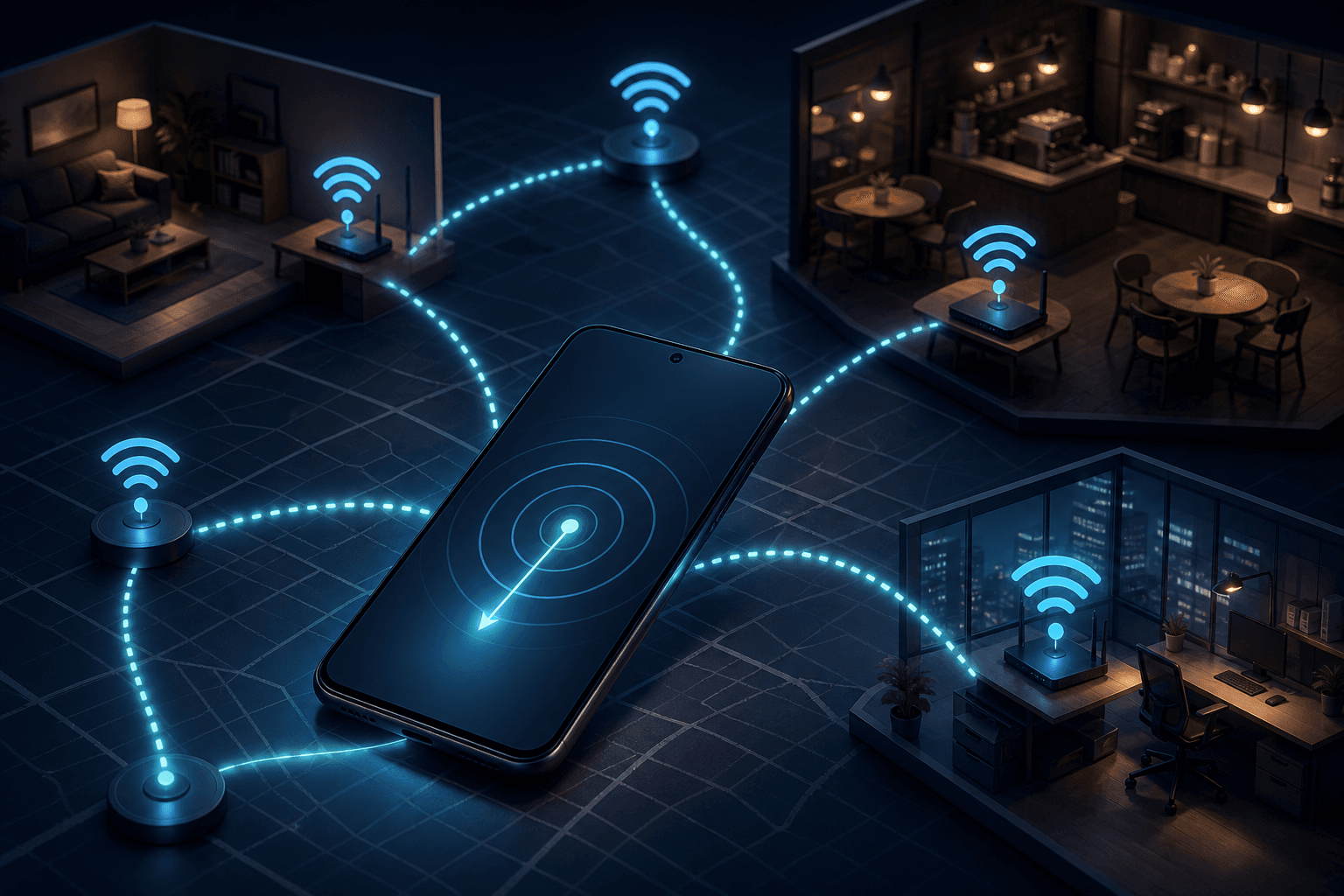
If you have only a phone number, you may be wondering whether you can type it into a website and see the phone's location on a map. Usually, you cannot get a phone's live location from its number alone.
A phone number may help identify a person, carrier, region, or publicly listed business. It does not normally give an ordinary website permission to access the device's GPS, Wi-Fi location, or mobile-network data. Live location generally depends on the phone owner's consent, access to an account connected to the device, or authority held by a carrier or emergency service.
That distinction matters because many sites advertise a free mobile phone tracker or promise to let you type in a phone number and find a location free online. Some may provide a legitimate reverse lookup. Others may collect your information, push paid subscriptions, or create the impression that a location result is available when it is not.
What people mean by “locate a phone number”#
The phrase can describe several different tasks:
- Reverse phone lookup: Finding a name, business, approximate region, carrier, or public records associated with a number.
- Live location tracking: Seeing where the phone is now or following its movement.
- Lost-phone recovery: Finding your own device through a platform account and device-finding service.
- Location sharing: Seeing someone else's location after they deliberately share it with you.
- Network-assisted location: A carrier or emergency service estimating a device's position under specific legal and technical conditions.
These are not interchangeable. A reverse lookup result is not proof of a phone's current location, and a number tracker that shows a country or city is not necessarily tracking the handset.
Can a public website reveal a phone's live location?#
In most cases, no. A public website cannot normally access a phone's location sensors merely because someone entered its number. The website would need a permitted technical path to the device or to an account that already has location access.
Legitimate location features commonly depend on one or more of these conditions:
- The phone owner has enabled location and an approved sharing or device-finding feature.
- The person viewing the location is signed in to the relevant account or has been invited to view it.
- The device is online or has recently communicated with the service.
- The service has the necessary permissions and the device can be identified securely.
- A carrier, emergency service, or other authorized organization is operating under applicable rules.
A phone number can be used as an identifier in some systems, but it is not a universal location key. It does not bypass Android security, account authentication, or consent controls.
Why “free mobile phone tracker” sites can be misleading#
Not every phone-number lookup service is automatically fraudulent. A legitimate service may provide public-record information or a carrier lookup. The risk is the stronger claim that a number alone will reveal a precise, current location.
Be cautious when a site:
- Promises an exact map location before explaining how access is authorized.
- Claims it can track any number without the owner's involvement.
- Shows a dramatic loading animation followed by a request for payment or personal details.
- Requires an email address, phone number, card, or identity information before showing what the service actually provides.
- Pushes an unknown app, browser extension, APK, or “verification” download.
- Uses countdown timers, alarming warnings, or pressure to act immediately.
- Does not clearly explain its data source, pricing, cancellation terms, or privacy policy.
Do not install an unknown APK or disable Android's security protections to use a number tracker. If you entered payment information into a suspicious service, contact your card provider, review recurring payments, change reused passwords, and monitor the account for unusual activity.
Phone-number lookup versus Google Find My Device#
A phone-number lookup starts with a number and may return public or commercial information. It does not normally locate the handset.
Google's device-finding service is different. It is designed to help an authorized account holder find, secure, or manage a device associated with that account. It may depend on the device being powered on, connected, visible to the account, and able to report a recent or current location. Exact availability and settings can vary by Android version, device manufacturer, account configuration, and network status.
If you are trying to recover your own Android phone, use the official device-finding option associated with the Google account on the phone rather than entering the number into an unknown tracker site. Our guide on finding an Android phone through Google Find My Device covers the legitimate recovery route.
Phone-number tracking versus IMEI tracking#
An IMEI is a device identifier used by cellular networks and service providers. It is not the same as a phone number. Knowing an IMEI does not give the general public a live map location, and an IMEI is not a magic alternative to a device-finding account.
The IMEI can be useful when reporting a lost or stolen phone to a carrier or law-enforcement agency, depending on local procedures. Be careful with websites that combine “IMEI tracking” and phone-number tracking promises. Read how IMEI tracking works before sharing an IMEI or paying for a supposed tracking result.
When legitimate location sharing can work#
If you need to know where a family member or friend is, the safe approach is transparent location sharing. The person should understand what is being shared, with whom, and for how long. They should be able to stop sharing later.
A location-sharing feature may show an approximate or recent position rather than a perfectly current one. Accuracy can change indoors, underground, in dense buildings, or when the phone has limited connectivity. A location result is also not proof that the person is physically holding the phone; the device could be left somewhere, shared, lost, or compromised.
Do not secretly install monitoring software or use a tracker to follow someone without their knowledge. If the situation involves abuse, coercion, or fear of retaliation, avoid confronting the suspected person or changing settings in a way that could put you at greater risk. Consider using a safer device and contacting a trusted local support service.
What to do if you are trying to find your own Android phone#
- Use the official device-finding service. Sign in through the account associated with your phone, rather than a random number-tracker website.
- Try the available actions carefully. Depending on the device and account, you may be able to view a recent location, play a sound, secure the phone, or erase it.
- Protect your accounts. Change passwords if you believe someone else accessed your Google account, and review recent account activity and signed-in devices.
- Contact your carrier. Ask about suspending service or replacing the SIM if the phone was stolen. Keep the IMEI available for an official report if requested.
- Treat a map result as a lead, not an invitation to confront anyone. For theft or immediate danger, contact local authorities rather than attempting recovery yourself.
If the phone is offline, powered down, damaged, or unable to report its status, the service may show an old location or no location at all. That limitation does not mean the phone-number tracker has failed; it means the device is not currently providing usable data.
What to do if you suspect someone is tracking you#
A strange battery pattern, overheating, data usage, or an unfamiliar app can have many ordinary explanations. None of these signs alone proves spyware or deliberate tracking.
Start with low-risk checks:
- Review apps you do not recognize and investigate before removing anything important.
- Check which apps have location, accessibility, notification, SMS, or device-administrator access.
- Review Google account security, signed-in devices, and recent account activity.
- Install Android and app security updates from trusted sources.
- Run the phone's built-in security checks, such as Google Play Protect where available.
- Review location-sharing settings and remove sharing you do not recognize.
Our guide to checking Android app permissions safely explains why a permission is a clue about what an app can do, not proof of what it has done. For more serious concerns, see how to detect spyware on Android, while keeping in mind that no single scan or permission review can identify every form of surveillance.
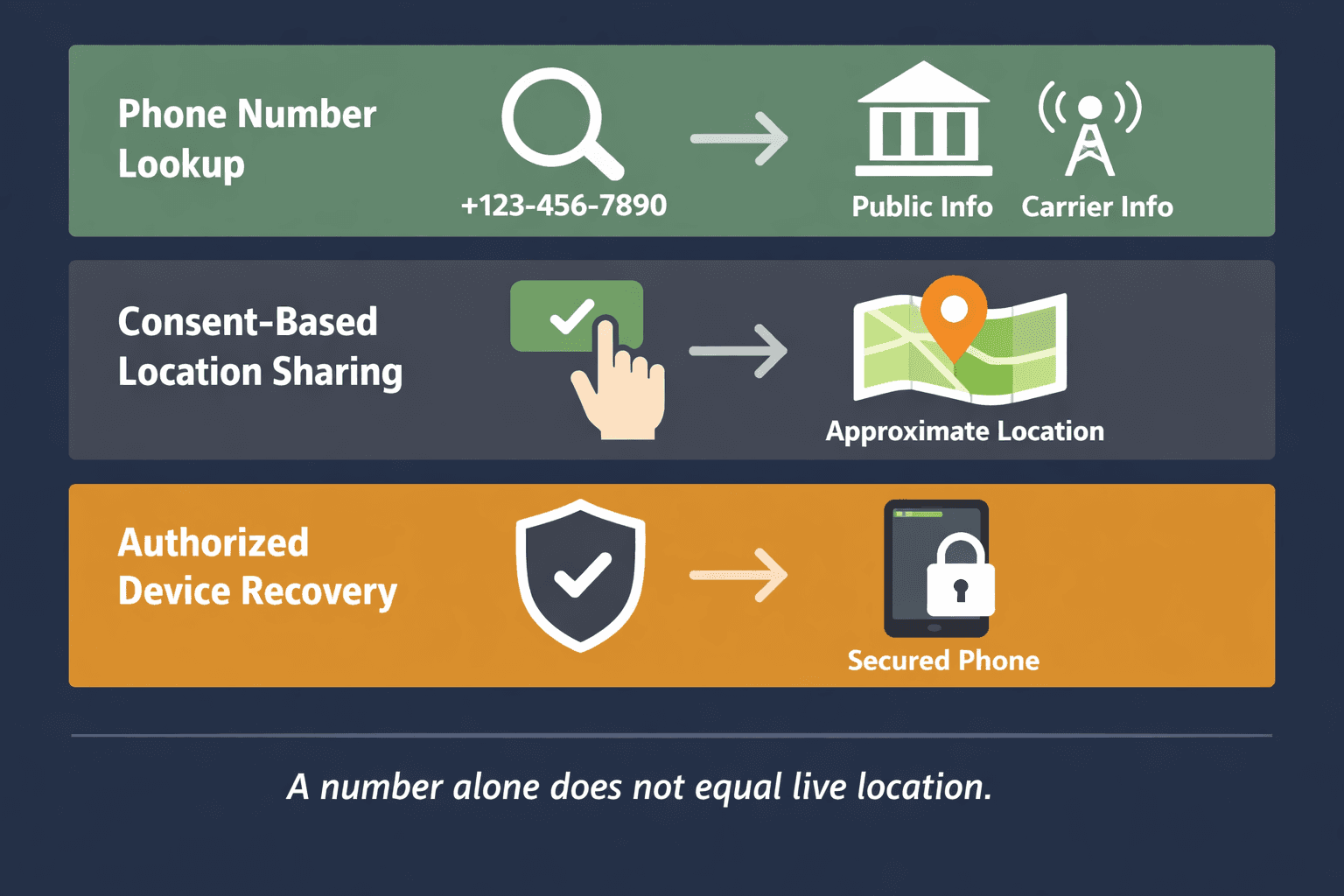
A simple decision guide#
- You want to find your own lost phone: Use the official account-based device-finding service and contact your carrier if necessary.
- Someone has agreed to share their location: Use a transparent location-sharing feature and confirm how long sharing remains active.
- You want the identity or region associated with a number: Consider a reputable reverse lookup, but do not interpret the result as live location.
- A website promises exact tracking from any number: Leave the site unless its authorization, data source, pricing, and privacy practices are clear.
- You suspect unwanted tracking: Secure your accounts, review permissions and sharing, preserve evidence if safe, and seek support before making changes that could increase risk.
Questions to ask before entering a number into a tracker site#
Before using any number tracker, ask:
- What specific information does the service promise: public records, carrier details, or live location?
- How does it obtain that information lawfully and technically?
- Does it require the device owner's consent or account authorization?
- What will I be charged, and is there a recurring subscription?
- What personal information will I provide, and how can I delete it?
- Is there an official alternative that solves the problem more safely?
If the answers are vague, especially about a claimed live location, do not proceed.