A call from an unfamiliar number can be annoying, concerning, or both. The safest first response is usually straightforward: use your Android phone's call-blocking or spam-protection controls, avoid sharing personal information, and preserve evidence if the calls continue.
Blocking an unknown caller can stop that number from reaching you again, depending on your phone and carrier. It cannot reveal who is behind the call, prove that the caller is tracking your phone, or stop every call that uses a different or spoofed number.
This guide explains how to block unknown callers, how screening differs from blocking, and what to check when repeated calls seem suspicious.
What blocking an unknown caller can and cannot do#
Android phones commonly offer several related controls:
- Block a specific number: Prevents calls and sometimes messages from one selected number.
- Block unknown or private numbers: May reject calls whose caller ID is hidden. The exact label varies.
- Identify spam calls: Warns you about numbers associated with suspected spam.
- Screen or silence calls: Reduces interruptions without necessarily rejecting every unknown call.
These controls are not the same. A phone may silence an unfamiliar call, send it to voicemail, display a warning, or reject it completely. Your carrier may also apply separate spam filtering.
Caller ID is not perfect. A caller can use a number that is not saved in your contacts, conceal the number, or manipulate the displayed number through spoofing. Blocking one displayed number may therefore have limited effect if the caller changes numbers.
How to block an unknown caller on Android#
The names and locations of settings vary by Android version, phone manufacturer, and dialer app. Look for options similar to these:
- Open the Phone app.
- Tap More, Settings, or the three-dot menu.
- Open Blocked numbers, Call blocking, or a similarly named section.
- Turn on an option for Unknown, Private, or Unidentified callers if your phone provides one.
- To block a known nuisance number, open the recent-call list, select the number, and choose Block or Report spam.
Before enabling a broad block, consider whether you need calls from delivery drivers, clinics, schools, employers, or public agencies. A hidden or unsaved number may be legitimate even when you do not recognize it.
On some phones, the available control may silence unknown callers rather than block them. Check your recent calls or voicemail after enabling it so you know what the feature actually does.
How Samsung and other Android phones may differ#
Samsung Galaxy phones and other Android devices can use different Phone app layouts. A setting called Block numbers, Caller ID and spam protection, Call screening, or Spam protection may appear in different places.
If you cannot find the setting:
- Search Settings for blocked numbers, spam, or caller ID.
- Check the Phone app's own settings rather than only the main Settings app.
- Look for an update to the phone or Phone app.
- Check whether your carrier offers a separate call-filtering service.
Do not assume that a setting named “spam protection” blocks every caller who is not in your contacts. It may only identify suspected spam or display a warning. Confirm the behavior using a safe, non-sensitive test if possible, or review the feature description supplied by your phone manufacturer or carrier.
Screening is different from blocking#
Screening gives you more information before you answer. Depending on the device and service, screening may ask the caller to identify themselves, display a warning, or let you decide whether to answer.
Blocking is more aggressive: it attempts to prevent the call from reaching you. Silencing is less disruptive but may still send the call to voicemail or leave it visible in your call history.
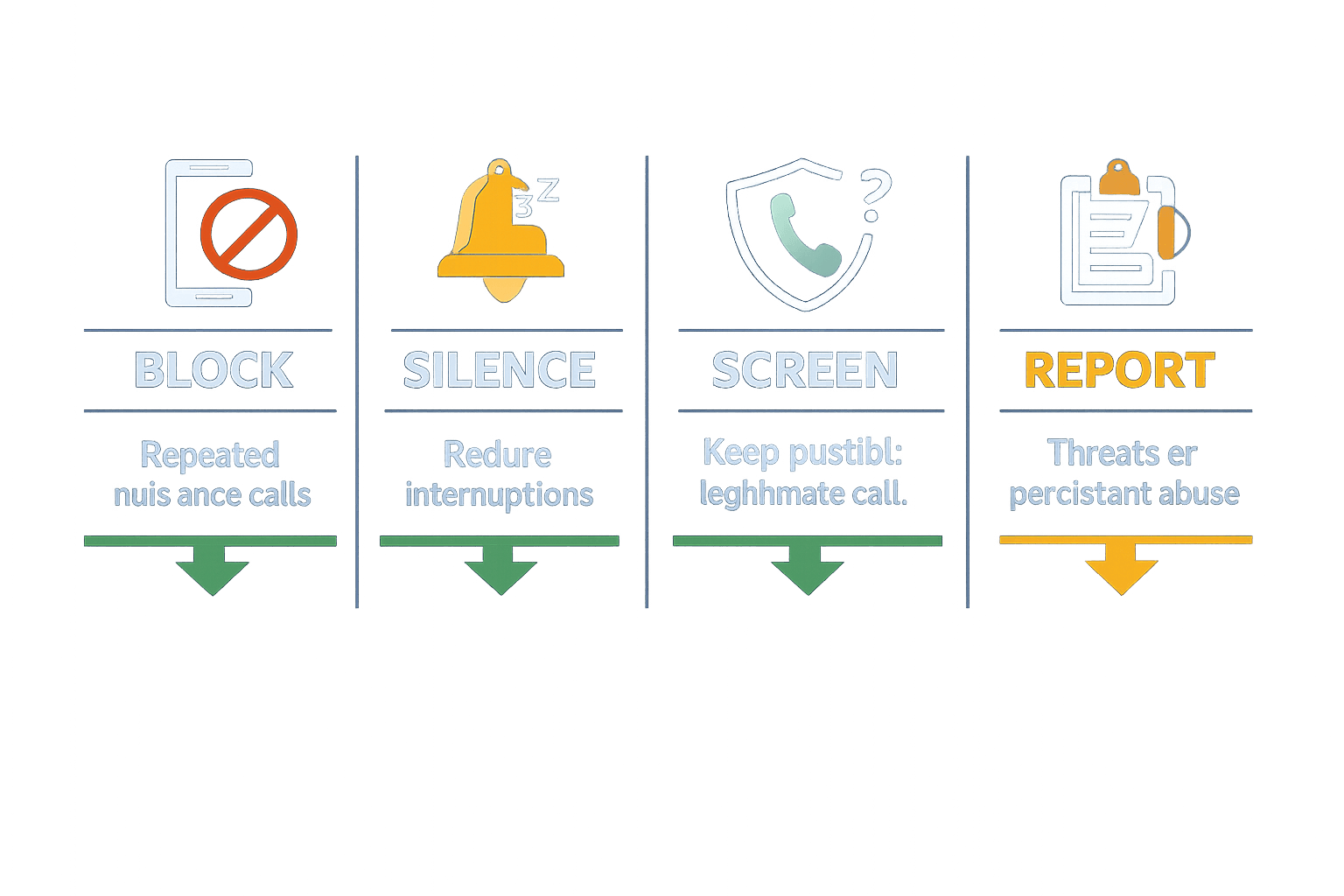
Use this simple decision guide:
- You never need calls from hidden numbers: Consider blocking private or unidentified callers.
- You sometimes need legitimate calls from new numbers: Use spam warnings or screening instead.
- One number keeps calling: Block and report that specific number.
- Many different numbers are calling: Ask your carrier about network-level spam filtering.
What to do about repeated, spoofed, or threatening calls#
Repeated calls do not automatically mean that your phone has been hacked. Common explanations include telemarketing, automated dialing, a wrong number, caller-ID spoofing, or someone deliberately trying to reach you.
Take these steps:
- Do not provide passwords, verification codes, banking details, or access codes. A caller who already knows your name or phone number may still be attempting fraud.
- Do not call back automatically. If the caller claims to represent a bank, delivery company, or government agency, find the organization's official contact information independently.
- Save evidence. Record the date, time, displayed number, voicemail, and what the caller said. Keep screenshots if they help establish a pattern.
- Block and report the number through the Phone app when appropriate.
- Contact your carrier if calls continue across multiple numbers or if you suspect caller-ID abuse.
- Contact local authorities or emergency services if there is an immediate threat, stalking behavior, extortion, or danger to someone in your household.
If confronting the caller could put you at risk, do not do so. Use a trusted person, your carrier, or appropriate support services instead.
Does an unknown call prove spyware or phone tracking?#
No. An unknown call by itself is weak evidence of spyware, tracking, or phone compromise. The caller may simply have obtained your number, dialed it accidentally, or used an automated system.
Battery drain, overheating, increased data use, or an unfamiliar app also have many ordinary explanations. They deserve review, but none proves surveillance on its own.
If the call is part of a broader concern, use a proportionate check rather than jumping directly to the worst conclusion. You can review Android app permissions for location, camera, and microphone access and follow a separate guide to checking for spyware on Android. These checks can reveal some concerning configurations, but no single audit or detector can identify every form of surveillance.
Also distinguish between different problems:
- Unwanted calls: A communication or spam problem.
- Caller-ID spoofing: A caller may make a different number appear on your screen.
- Account compromise: Someone may have access to an online account associated with your phone.
- Spyware: Malicious software installed or granted excessive access on the device.
- Location sharing: A legitimate account or app may be sharing location.
- Physical tracking: A Bluetooth tracker or other device may be traveling with you.
These situations require different checks. Blocking calls is useful, but it does not investigate all of them.
When to review call forwarding or call recording#
A suspicious call is not the same thing as call forwarding. Forwarding sends incoming calls to another number, while blocking controls whether calls from selected numbers can reach you. If you are concerned that calls are being redirected, review how to check and turn off call forwarding on Android.
Call recording is another separate issue. A caller's behavior does not prove that your phone is recording calls. If you have a specific reason to review recording controls, use this Android call-recording checklist and account for device, app, and regional differences.
Reviewing accessibility services, remote-access apps, or unfamiliar applications may be appropriate when there are additional signs of compromise. Do not uninstall an app or change settings impulsively if doing so could alert someone who may be monitoring or controlling the device. If personal safety is involved, seek help from a trusted person or specialist service before making visible changes.
A practical checklist for unknown callers#
Use this checklist when you want to stop unknown calls without overreacting:
- Turn on the Phone app's available spam warning or screening feature.
- Block private or unidentified callers if you do not need them.
- Block and report individual nuisance numbers.
- Do not share sensitive information with an inbound caller.
- Preserve call logs, voicemails, and screenshots for repeated or threatening activity.
- Ask your carrier about network-level filtering.
- Review apps, permissions, accounts, and forwarding only when other evidence justifies it.
- Escalate threats or stalking concerns to appropriate safety or law-enforcement resources.